The most common question we get from facilities teams evaluating Voltpathio is not about the prediction accuracy or the savings projections. It's "how does this actually connect to our existing building management system, and what do we have to touch?" That's the right question to start with, because integration friction is what kills most building optimization projects before they get far enough to deliver value.
This article walks through our integration architecture, the protocols we support, what the typical 30-60 day onboarding sequence looks like, and what to expect in terms of IT involvement, network configuration, and the data collection period before the models are calibrated enough to generate reliable schedule recommendations.
Protocol Support: BACnet, Modbus, and MQTT
Voltpathio communicates with building systems through three primary protocols. The right one for your facility depends on what your existing equipment exposes.
BACnet/IP and BACnet MS/TP are the standard for commercial building automation systems. Virtually all modern BMS controllers — Johnson Controls Metasys, Siemens Desigo CC, Honeywell EBI, Schneider EcoStruxure, Trane Tracer — support BACnet. BACnet/IP runs over the facility's TCP/IP network; BACnet MS/TP is the field-bus protocol that runs on RS-485 wiring at the device level. We read data from BACnet objects (AV, BV, AI, BI) and write schedule commands to writeable points. The integration doesn't require any modification to your existing BMS — we connect as a client device on the BACnet network and discover exposed points through the standard BACnet discovery protocol.
Modbus RTU and Modbus TCP are the standard for older industrial control systems and many standalone energy meters, VFDs, and HVAC equipment that predates widespread BACnet adoption. Modbus is simpler than BACnet — it's a polling protocol with a flat register map rather than a discovery-based object model — and it's still the native language of a lot of field-level equipment in industrial plants. We support Modbus through our on-site gateway hardware, which also handles the serial-to-TCP bridging needed when field devices are RS-485 Modbus RTU and the network infrastructure is Ethernet.
MQTT is increasingly common in newer installations and in facilities that have implemented an IoT sensor layer separately from the primary BMS. If you have a smart meter installation, a LoRaWAN sensor network for zone-level temperature and humidity, or a modern edge computing layer that publishes telemetry via MQTT broker, we can subscribe to those topics directly. MQTT integration is typically the fastest to set up when it's available — no BACnet network traversal, no Modbus polling loops, just a topic subscription configuration.
On-Site Hardware: The Gateway
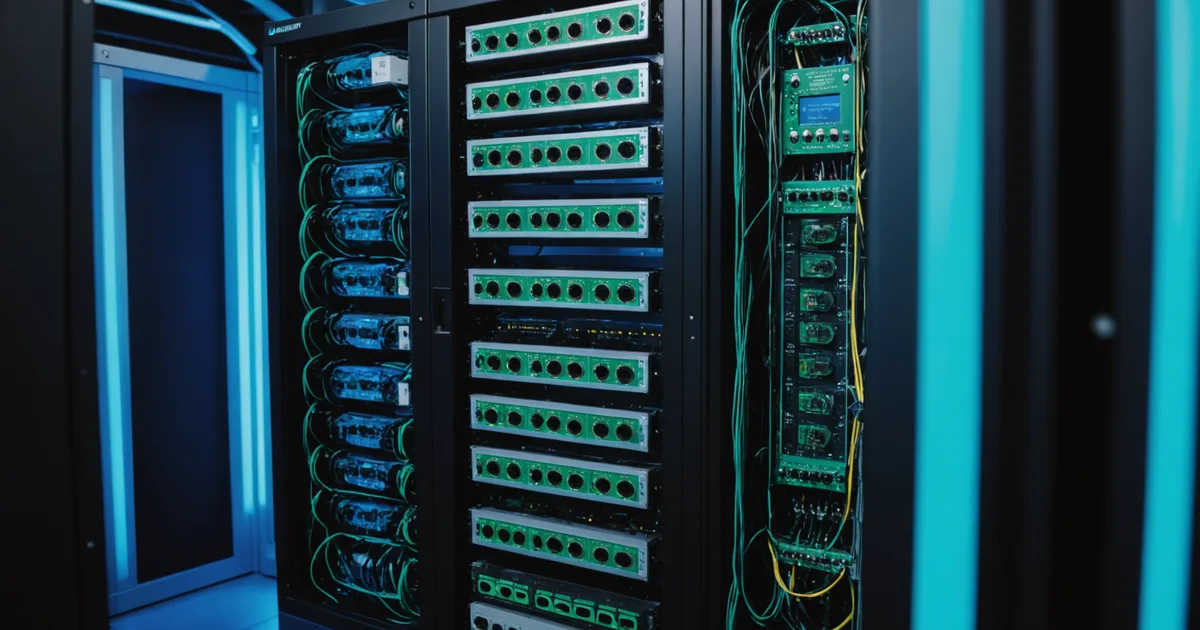
The Voltpathio integration runs through a small edge gateway device that we ship and install on-site. The gateway is a Linux-based appliance about the size of a paperback book — it mounts in a standard control panel or networking cabinet and draws less than 15W. Its job is to poll your building systems over BACnet or Modbus, buffer the telemetry locally, and forward it over an encrypted HTTPS/MQTT connection to the Voltpathio cloud platform. Schedule commands from the cloud platform flow back through the gateway to write setpoints and schedule objects to your BMS controllers.
Why edge hardware rather than pure cloud integration? A few reasons. First, most building automation networks are on isolated VLANs or flat networks with no direct internet access — the gateway sits on the building automation network and creates a one-way encrypted channel outward, without requiring you to open inbound firewall rules or expose your BMS to the internet. Second, the gateway provides local buffering so that a temporary internet outage doesn't cause loss of sensor data. Third, for schedule write operations, the round-trip latency from cloud to on-site BMS needs to be fast enough to execute pre-conditioning sequences reliably — the gateway handles this locally without depending on cloud round-trip timing.
IT teams are generally comfortable with this architecture because the gateway is a standard outbound-only connection on a high port, encrypted with TLS 1.3, with no inbound access requirement. The gateway communicates only with Voltpathio infrastructure endpoints, which we provide as a whitelist for outbound firewall rules. No VPN, no open inbound ports, no modification to the existing BMS network configuration beyond adding a VLAN trunk or a gateway IP to the building automation network segment.
The Onboarding Sequence
The typical integration from hardware arrival to first schedule recommendations takes 6–8 weeks, divided into roughly three phases.
Weeks 1–2: Hardware installation and point discovery. The gateway ships pre-configured with your site's network parameters. Physical installation typically takes a half-day from a controls technician — mount the device, connect to the building automation network (Ethernet or RS-485 depending on your setup), verify connectivity. Once the gateway is online, it runs BACnet discovery to enumerate the controllers on your network and presents a point list in the Voltpathio dashboard. You review and select the points to monitor: typically all chiller and AHU operating points, zone temperature and setpoint objects, electrical submetering if available, and any scheduling objects you want the system to write.
Weeks 3–5: Data collection and baseline establishment. This is the period where the system is monitoring but not yet writing any schedule changes. We need at least 3–4 weeks of baseline data — more is better — to calibrate the building's load model. During this period the dashboard shows live telemetry, the forecast engine starts running against the building data, and you get to see whether the data quality is sufficient (are sensors reading correctly, are there gaps in any critical data streams, does the occupancy pattern make sense relative to calendar data).
We're not saying this phase is passive — it usually surfaces a handful of data quality issues that require attention. Common ones: a BACnet point that's mapped to the wrong controller and returning garbage values, a meter that's reading in kVA rather than kW, an HVAC zone whose temperature sensor was replaced but not relabeled in the BMS. Catching these during the baseline period rather than after schedule recommendations have been generated saves a lot of confusion.
Weeks 6–8: Model calibration and first recommendations. Once the baseline data is clean and covers enough variation in weather conditions and occupancy levels, we run the initial model calibration. The output is a set of building-specific model parameters: the thermal response curve, the relationship between outdoor conditions and HVAC load, the occupancy signature, and the equipment performance baselines. The first schedule recommendations appear in the dashboard at this point, initially in advisory mode — you review them, approve or reject them, and optionally provide feedback on why a recommendation doesn't fit your operational constraints.
The switch from advisory to automated mode is your decision and your timeline. Some facilities run in advisory mode for several months while building confidence in the recommendations. Others move to fully automated within a few weeks once they've verified the recommendation quality. We strongly prefer that you move at your own pace — the cost of an overly cautious deployment is slower savings realization, but the cost of an automation failure that causes a comfort complaint during a senior leadership visit is much higher.
What Requires IT Involvement
The honest answer is: not much, but you need to loop them in early. The specific IT tasks are: adding the gateway's MAC address to your network access control whitelist for the building automation VLAN, adding Voltpathio IP ranges to your outbound firewall allowlist, and reviewing the gateway data sheet from a security standpoint. Most facilities IT teams clear this within a week once they have the documentation. The more common delay is not IT review but the coordination between facilities management, IT, and controls vendors to agree on who handles which piece of the installation.
For facilities with strict cybersecurity requirements — government buildings, financial sector, healthcare — we can provide additional documentation including our SOC 2 Type II report and a network traffic description for your security team's review. The integration architecture is designed to work within OT/IT separation policies: the gateway sits on the OT side, communicates only outbound, and never accepts inbound connections.
What to Expect After Go-Live
The first 30 days after moving to active schedule management are typically when you learn the most about your building. The model will occasionally recommend a pre-conditioning schedule that doesn't account for something it doesn't know — a production run that's been added to tomorrow's schedule, a mechanical issue that's temporarily limiting chiller capacity, a zone that's been blocked off for renovation. The feedback loop for these situations is important: when you override a recommendation, you tell the system why, and it incorporates that constraint into future recommendations.
The savings pattern is not linear either. The largest gains typically come in the first weeks when the system corrects the most obvious structural inefficiencies — the shift-change demand spikes, the overnight phantom loads, the weather-blind static schedules. After those are addressed, the incremental gains from ongoing optimization are smaller per event but continuous. Most facilities see their payback period on integration costs in the 4–8 month range, depending on utility rates and starting efficiency baseline.